
Sociome
“I want to make
a place to sit.”
Describe a bench, inspect it from the side, then change its backrest or placement. The object and its position in the world are the things you work on.
Open SociomeTwo different creative jobs
Choose Sociome to make and edit objects in a 3D world. Choose Enjoy AI Town to create character stories and roleplay. Both use conversation; the result you want is what separates them.
Updated September 8, 2026 · Sociome is independent of Enjoy Global, Inc.
Sociome
Describe a bench, inspect it from the side, then change its backrest or placement. The object and its position in the world are the things you work on.
Open SociomeEnjoy AI Town
Create characters and locations, talk to AI residents, and develop a story through roleplay. Enjoy’s publisher also lists outfits, items, and pets among its creative tools.
Explore Enjoy ↗A similar prompt can serve a different purpose in each product. In Sociome, a request for a bench is a spatial modeling task. In Enjoy, a location or item belongs to a character and story experience. Creating something named “bench” does not establish that both tools produce the same kind of editable geometry.
That distinction is more useful than asking which product has “more AI.” Start with the thing you need to see or do after the conversation.
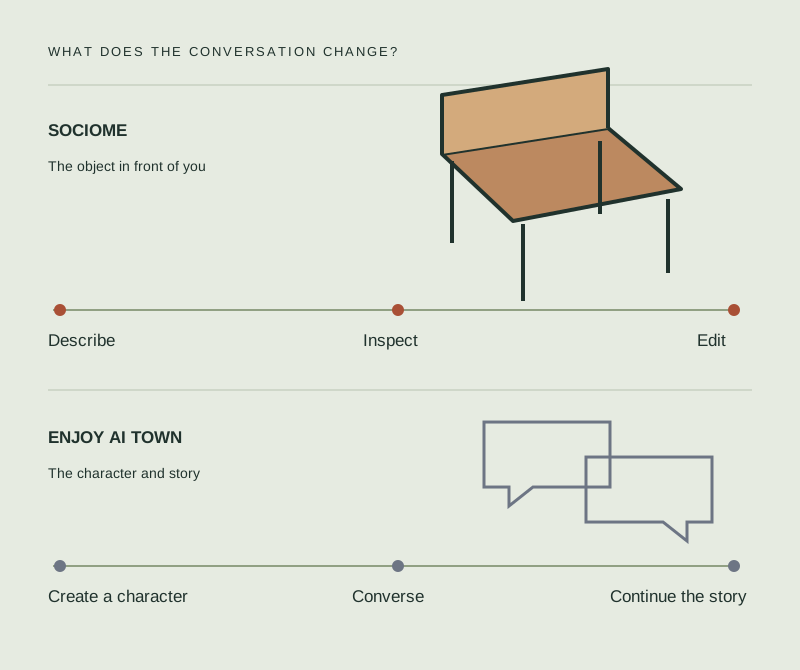
Compare the job, the output, and the next step
Swipe horizontally to compare both products
| What matters to you | Sociome | Enjoy AI Town |
|---|---|---|
| Main activity | Create and revise objects in a shared 3D world. | Converse with AI characters and develop roleplay stories. |
| What you create | Objects such as benches, trees, and small buildings. | The publisher lists stories, characters, locations, outfits, items, and pets. |
| How you inspect a result | Move around the world and view the object from different angles. | Read and interact with the character or story experience described by the publisher. |
| How you revise | Select a shared object; use chat or position, rotation, scale, and color controls. | Use the app’s creation and conversation features. See its interaction guide for current mechanics. |
| Autonomous characters | A person-shaped object does not acquire memories or relationships. | AI character conversations, memory, and evolving relationships are publisher-described features. |
| Where to start | Open the browser world. The example prompt is prepared before you send it. | Use the official website or the publisher’s app listings. |
| Cost expectations | Opening the world does not start a checkout. No unlimited-generation or fixed-price promise is made here. | Free to download, with optional in-app purchases. Check the current store and in-app terms before spending. |
Enjoy’s capabilities and purchase model are described in its Google Play listing, App Store listing, and official guide. Store availability, age ratings, and purchase options can vary by region. This comparison uses publisher descriptions of Enjoy, not a hands-on rating.
The trade-offs
Allow time for inspection and revision. Generated shapes may need another pass. Everyone can edit shared models, with a short wait when another person is modifying the same object. Sociome is useful for a spatial idea you want to see and adjust. It does not promise engineering tolerances, a rigged character, or a finished game asset.
Its appeal is the character and story experience. Creative features do not establish a 3D asset-export workflow, and a memory feature is not a guarantee that a conversation will always stay consistent. Read the current feature, purchase, and privacy terms in the app before relying on them.
If your real task is to install and customize a simulation, you may mean the separate open-source AI Town project.
In Sociome, build one bench and inspect the backrest from the side. Change its scale or shape, then confirm the result. If that is the loop you want, follow the first-object guide.
Start from Enjoy’s official description and choose a character or story you would like to explore. Check what creation and conversation actions are available on your current access level. Choose based on that experience, rather than expecting a modeling editor.
It is an alternative way to create with conversation, but it serves a different job. Sociome focuses on spatial objects; Enjoy focuses on characters and roleplay. Pick the one that matches your intended result.
Yes. Its publisher lists stories, locations, outfits, items, and pets. Those creation features should not be assumed to produce the same editable 3D object workflow as Sociome.
Sociome is independent of Enjoy Global, Inc. The open-source a16z-infra AI Town starter kit is also a separate project.
Choose Sociome if you want to build and inspect objects inside its world. If you need an exported asset with strict technical requirements, evaluate a specialist 3D workflow instead.
Enjoy’s publisher describes AI residents, conversations, and roleplay. Use its official site or store listing to check the current experience and availability.